
Desk Setup Tips for Focus and Comfort
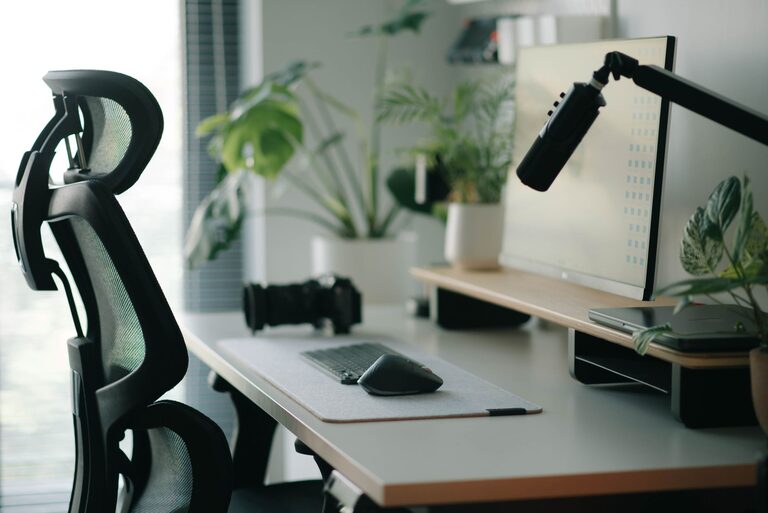
Creating a desk setup that supports both focus and comfort can transform the way you work or study. Whether you spend a few hours or a full workday at your desk, the environment you create plays a crucial role in your productivity and well-being. In this post, we’ll walk through practical tips to help you design a desk space that encourages concentration and reduces strain.
Why a Good Desk Setup Matters
A well-organized and ergonomic desk setup can help you:
– Reduce physical discomfort and prevent pain
– Minimize distractions for better focus
– Improve posture and energy levels
– Make your workspace inviting and motivating
Even small changes can have a big impact on your daily efficiency and health.
Choosing the Right Desk and Chair
Desk Height and Size
Your desk should comfortably fit your work essentials without feeling cramped. The ideal height is typically around elbow level when you’re seated with your arms relaxed.
– Standard desk height ranges from 28 to 30 inches
– Consider adjustable desks if you want to alternate between sitting and standing
– Make sure there is enough space underneath for your legs
Comfortable and Supportive Chair
Invest in a chair that supports your back and encourages good posture.
– Look for adjustable height and lumbar support
– Choose cushioning that suits your comfort level
– Armrests can help reduce shoulder tension, but make sure they don’t limit movement
Ergonomics: Positioning for Comfort
Good ergonomics help prevent strain on your neck, shoulders, and wrists.
Monitor Placement
Position your monitor so that the top of the screen is at or slightly below eye level.
– About an arm’s length away is ideal
– Use a monitor stand or stack of books if needed to raise the screen
– Avoid glare by positioning the screen perpendicular to windows
Keyboard and Mouse Setup
Place your keyboard and mouse close enough so your elbows stay near your body.
– Your wrists should be straight, not bent upward or downward
– Use a wrist rest if it helps ease tension
– Keep your mouse on the same surface and side as your dominant hand
Optimize Lighting
Lighting affects both your comfort and focus.
– Use natural light whenever possible, but avoid direct glare on screens
– A desk lamp with adjustable brightness can help during darker hours
– Soft, warm light is easier on the eyes than harsh, bright light
Organize for Efficiency and Calm
A cluttered workspace can distract you and make it harder to find things.
Declutter Regularly
– Keep only daily essentials on your desk
– Store papers and supplies in drawers or organizers
– Use cable management tools to keep cords tidy
Use Functional Storage
– Desktop organizers, shelves, or filing trays help keep items accessible
– Label storage containers to quickly locate items
– Rotate supplies seasonally or as needed to avoid overcrowding
Personalize Your Space
Adding personal touches can make your desk more inviting without creating distractions.
– A small plant can boost mood and air quality
– A favorite photo or artwork adds warmth
– Use calming colors and textures for desk mats or accessories
Take Breaks and Move
Even the best setup won’t help if you stay in one position too long.
– Follow the 20-20-20 rule: every 20 minutes, look at something 20 feet away for 20 seconds
– Stand up, stretch, or walk briefly every hour
– Consider a standing desk or balance board to mix movement into your routine
Final Thoughts
Designing a desk setup that supports focus and comfort is a combination of ergonomic principles, good organization, and personalized touches. By tailoring your workspace to your needs, you can create an environment where you’re not only productive but also comfortable and inspired. Try these tips and adjust as needed to find what works best for you. Your body and mind will thank you!